


NewProfilePic: Profile Picture
4.25.53K Reviews
App Specs
- Version
- 0.5.32
- Updated On
- License
- Free
- Downloads
- 5,000,000+
- Developer
- PHOTO LAB DMCC
- Categories
- Photography
- Platform
- Android
Screenshots
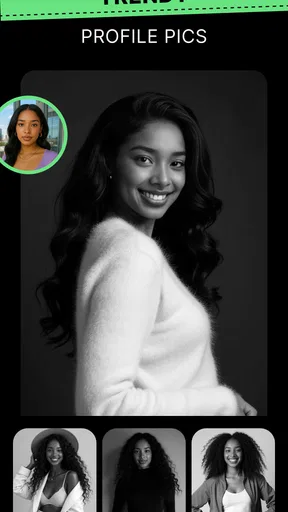
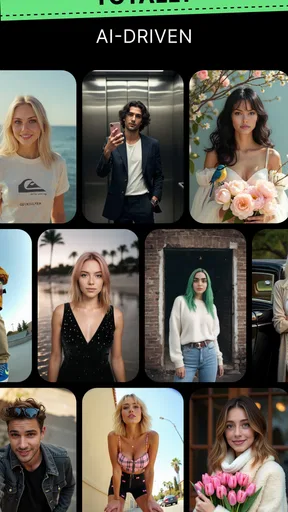
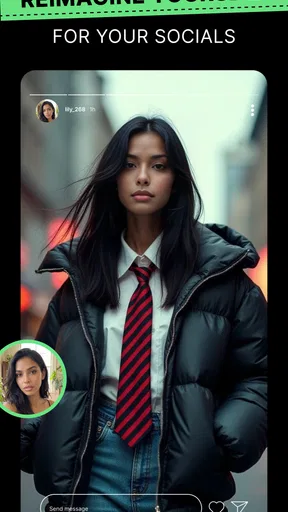
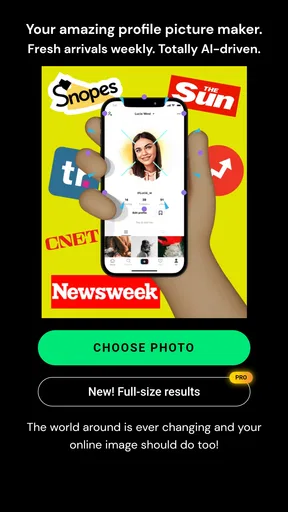
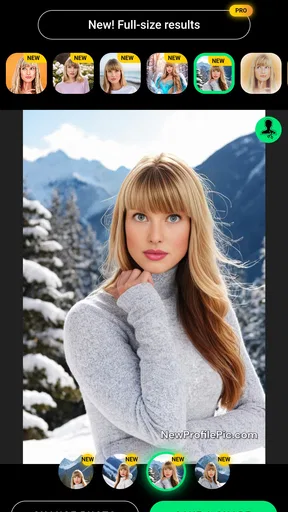
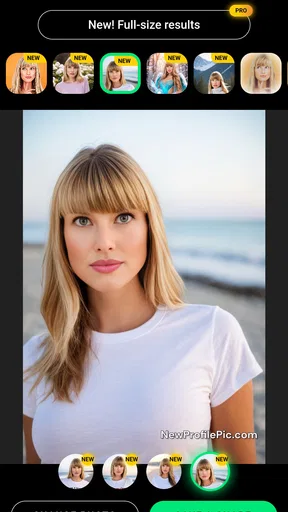
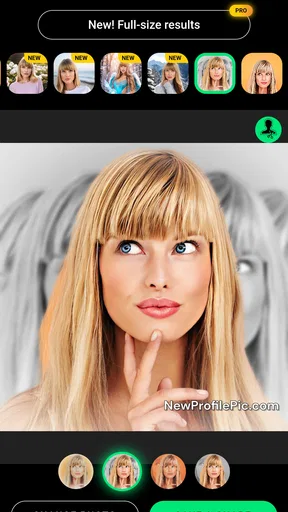
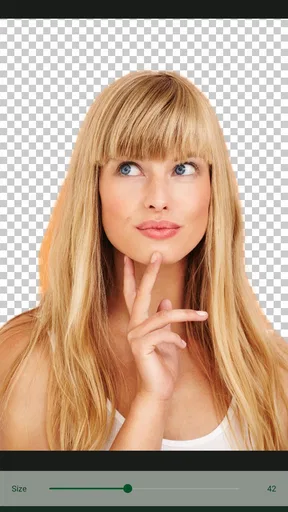
 Analysis by AppCompare
I tried NewProfilePic: Profile Picture as a quick way to turn an ordinary selfie into something more stylized, and I came away seeing it as a focused tool rather than a complete photo editor. Its purpose is simple: help you create a profile image with cartoon-like effects, filters, and a more noticeable visual identity. That narrow focus is also its main appeal. You can open it when a standard camera portrait feels too plain, make a few creative choices, and leave with an image suited to a social account, messaging profile, or casual avatar.
The app is free to install, which makes it easy to test without committing money first. It is published by PHOTO LAB DMCC and sits in the photography category. Its current version is 0.5.32, and it runs on Android 7.0 or later. The age rating is Everyone, so the presentation is approachable for a broad audience. The important question is not whether it can replace every editor on your phone; it cannot. The better question is whether you want a fast, characterful profile picture without spending time learning a complicated editing workflow.
How I Decide Whether It Is the Right Profile Picture Tool
I decide whether a profile-picture tool is right for me by starting with the image’s purpose: where I’ll use it, how small it may appear, and how much creative control I want. That keeps a striking preview from distracting me from the practical test—whether the finished portrait still feels recognizable and appropriate. From there, I weigh the app’s quick, stylized approach against the kind of editing the job actually needs.
Start with the result you actually need
Before choosing any portrait app, I think about the destination. A profile picture has to work at a small size, remain recognizable, and communicate something quickly. A dramatic effect may look impressive when viewed full-screen but become muddy when reduced to a small circle. NewProfilePic: Profile Picture makes sense when you want the image to feel illustrated or playful, but I would not choose it simply because a filter looks striking in a preview.
My first test is always practical: does the face remain clear after the effect is applied? If the eyes, hairline, and general expression still read well, the result is useful. If the style overwhelms the person, I would move to a lighter option or return to the original image. That small check matters more than chasing the most elaborate-looking transformation.
Consider how much control you want
There is a real difference between a dedicated profile-picture creator and a traditional photo editor. A full editor usually gives you more control over exposure, color, cropping, retouching, layers, and precise masking. NewProfilePic is more appealing when speed and visual impact matter more than detailed manual adjustment. I can imagine using it for a quick account refresh, while I would reach for a broader editor for a carefully planned portrait or a professional headshot.
This is also where expectations should stay realistic. The app’s strength is the creative treatment of a portrait, not the complete preparation of an image for every possible use. If you need exact brand colors, a carefully measured crop, text placement, or a multi-image composition, a conventional editing app will usually be the better fit.
Worth Reading Before You Choose

EA SPORTS FC Mobile 26 Is a Bigger Football Game, but It Takes Time

Flipboard Shows What News Apps Must Do Beyond the Feed

Switching to Android Auto Means Rethinking Your Driving Routine

Google Calendar Makes a Crowded Week Easier to Manage

Ludo King Makes the Most of the Minutes Between Plans

Baby Panda World Brings Quick Play to Modern Phones, but Its Game Library Feels Busy
Think about the source photo
The starting image has a bigger effect than many people expect. A clear selfie with a visible face gives the effect more to work with than a distant group photo, a dark snapshot, or a picture with the subject partly hidden. I get better results by choosing a simple image first rather than trying to rescue a poor one with a stronger filter.
For a profile image, I also prefer a photo with some space around the head. Many services display avatars inside a circle, and an overly tight crop can cut off hair or shoulders. I leave room around the face, apply the style, and then check how the composition feels when viewed as a small icon. This is one of the most useful habits when working with any portrait-effect app, but it is especially important here because the effect itself already attracts attention.
Look beyond the first preview
My decision is not based on whether the initial result looks exciting. I compare a few treatments while asking three simple questions: can someone recognize me, does the image still look good at small size, and would I be comfortable keeping it for more than a day? This prevents the common mistake of choosing a novelty effect that becomes tiring quickly.
I also save the original portrait separately before experimenting. That gives me freedom to try bolder styles without worrying about losing the natural version. For an account that matters, I would keep both versions: the untouched photo for future editing and the finished profile image for immediate use.
Where the app wins for quick creative portraits
The clearest advantage is the short path from selfie to stylized avatar. I do not need to build the look from individual adjustments or understand advanced editing terminology. The app is aimed at people who want a visible change in mood and appearance, not a lesson in image correction. That makes it approachable when I am preparing a new profile and do not want to spend an evening refining small details.
It also works well for people who find ordinary portraits too formal. A cartoon-like treatment can make a profile feel friendlier, more casual, or more distinctive. That is useful for a personal messaging account, a gaming identity, a community profile, or a social page where an illustrated appearance feels more natural than a conventional headshot.
Another strength is that the concept is easy to understand. I do not have to begin by deciding whether I need a layer mask, a color curve, or a retouching brush. I begin with the person in the photo and judge the visual direction. For occasional users, that reduction in decisions is valuable. The app does not ask me to become an editor before I can make something presentable.
The audience response suggests that this straightforward idea has broad appeal. NewProfilePic has a 4.2 average from around 108 thousand ratings, with more than 5 million installs. Those figures do not guarantee that every effect will suit every face, but they do show that the app has found a substantial audience among people looking for this particular kind of image treatment.
Three practical workflows that make the result better
My preferred workflow is to begin with a well-lit portrait, preview several styles, and then judge the image after imagining it inside a small circular avatar. I do not choose based only on the full-screen preview. If the face loses definition when reduced, I discard that option even if it looked impressive at first.
A second useful approach is to make two versions for different contexts. I might keep one lively image for a casual social account and another with a quieter treatment for a work-related profile. This avoids forcing one highly stylized picture into every setting. The same portrait can communicate very differently depending on the effect, so separating those uses helps the app feel more versatile.
My third tip is to treat the result as a starting point rather than the final design when necessary. If the generated portrait has a strong background or an awkward amount of empty space, I would finish the crop in another editor before uploading it. That extra step is a trade-off, but it is often faster than trying to make one specialized app handle every part of the process.
Everyday use: changing an account without overthinking it
Imagine I have joined a new online group and want a profile image that feels less stiff than a passport-style selfie. I can choose a recent portrait, try a few cartoon-inspired treatments, and select one where my face remains recognizable. I would then inspect the crop, save the version I like, and replace the old avatar. For this situation, the app does exactly what I need: it gives the account a fresh identity without requiring a photo shoot or a complicated editing session.
There is also a useful social angle. Friends or family members who are uncomfortable with detailed editing tools may still enjoy experimenting with a portrait effect. The process is easier to explain because the goal is clear from the beginning. I would still review the final image before sharing it, especially if the app has produced a look that feels more exaggerated than intended.
Where a conventional editor may be better
I would choose a broader photo editor when the main problem is not style but image quality. If the portrait is too dark, needs careful skin-tone correction, contains distracting objects, or requires a precise background adjustment, manual tools offer more dependable control. NewProfilePic is not the option I would put first for a polished professional portrait or a carefully matched visual identity.
I would also look elsewhere if I wanted a natural result. Some people want their profile photo to remain close to the original while benefiting from subtle brightness, contrast, and cropping changes. A cartoon-oriented app is aimed in a different direction. Its appeal comes from changing the character of the image, so users seeking realism may find the creative treatment too strong.
Another alternative category is the avatar maker built around non-photographic characters. Those tools can be preferable when you do not want to use your real face at all. They may offer a more deliberately fictional identity, whereas NewProfilePic starts from a portrait and keeps the person at the center. The choice depends on whether you want an altered version of yourself or a separate character.
Limitations I noticed in the decision
The biggest limitation is the balance between convenience and control. A quick effect is helpful, but it also means I have less influence over every individual part of the image. If a treatment handles one facial feature in a way I dislike, I may prefer another style rather than spending time correcting that single detail. For casual use, that is acceptable; for a carefully controlled result, it can become frustrating.
There is also a risk of visual sameness. When many people use the same kind of portrait treatment, the novelty can fade. I would use the app to create a profile image that fits my personality rather than automatically selecting the most dramatic option. A restrained effect, a thoughtful crop, and a suitable source photo can make the result feel more personal than simply choosing the strongest transformation.
The free entry point is helpful, but the app includes in-app purchases ranging from $0.99 to $149.99 per item. That wide range means I would pay attention to the purchase screen and confirm what I am selecting before approving anything. I would begin with the free experience, decide whether the style is genuinely useful to me, and only then consider spending money. For someone who edits one profile picture once, paying may not be worthwhile.
What switching to it really involves
The cost of switching is low if my current routine is simply taking a selfie and applying a basic filter. I can test a specialized profile-picture workflow without abandoning my normal camera or editor. The more significant cost is organizational: I may end up with several versions of the same portrait, and I need to remember which one is natural, which one is stylized, and which one is cropped for a particular service.
I avoid that confusion by using clear filenames or separate folders and by keeping the original image untouched. I also check the finished picture outside the app before making it public. A profile service may crop the image differently from the preview, so I look at the face near the edges and make sure important details are not too close to the boundary.
Switching is less attractive if I already have a trusted editor that gives me the exact look I want. In that case, NewProfilePic would add another step rather than remove one. Its value is highest for users who currently lack a fast way to create a playful portrait, not for people who already have a refined editing system and enjoy controlling every adjustment.
Privacy and sharing habits worth keeping in mind
A profile picture is still a personal image, even when the final style makes it look illustrated. I would choose the source photo with the same care I use for any image-sharing service, avoiding details in the background that I do not want attached to a public account. I would also review the final image for accidental clues such as visible documents, house numbers, or other people in the frame.
That is not a reason to avoid the app; it is simply a sensible part of using a portrait tool. The creative effect can make an image feel less personal, but it does not change the fact that the original subject is identifiable. I prefer to make the image deliberately and share it only where the chosen style and level of visibility make sense.
My recommendation for different kinds of users
I recommend NewProfilePic: Profile Picture to someone who wants a quick cartoon-style profile image, enjoys trying visual treatments, and does not need detailed manual control. It is particularly suitable for casual accounts, social profiles, and users who find traditional editing apps intimidating. The free price makes experimentation easy, while the Everyone rating keeps the app broadly approachable.
I would skip it if my priority were a natural headshot, professional retouching, precise branding, or a fully fictional avatar that does not begin with my photograph. In those cases, a conventional photo editor or a character-based avatar creator is likely to match the goal more closely. I would also avoid paying for extra content until I had confirmed that the available style fits the way I actually use profile pictures.
Overall, I see this photography app as a convenient specialist rather than an all-purpose replacement. It succeeds when I want my portrait to feel more expressive with very little effort, and it becomes less convincing when I ask it to solve technical editing problems. My advice is to start with a clear, well-framed photo, compare results at avatar size, keep the original, and choose the effect that still feels like you after the novelty wears off. If that is the kind of profile update you want, this is an easy app to try; if you need precision, realism, or complete design control, your usual editor is probably the wiser choice.
Pros
- Simple tools make it easy to create polished profile pictures quickly.
- AI effects offer creative styles for social media avatars.
- Preview changes before saving or sharing the final image.
- Works well for users without advanced photo-editing experience.
- Useful for refreshing profile photos across multiple platforms.
Cons
- Some effects may look overly artificial or heavily filtered.
- The best styles and features may require in-app purchases.
- Processing can take longer on older or less powerful devices.
- Results depend heavily on the quality of the uploaded photo.
- Privacy concerns may arise when uploading personal images for processing.
FAQs for NewProfilePic: Profile Picture
What is NewProfilePic: Profile Picture used for?
NewProfilePic: Profile Picture is a photo-editing app designed to help you create attractive profile images for social networks and messaging platforms. It can apply artistic effects, color adjustments, backgrounds, and stylized filters to an existing photo. During testing, the app felt focused on quick results rather than professional editing, making it suitable for users who want a polished avatar without learning complicated editing tools.
Is NewProfilePic: Profile Picture free to download and use?
The app can generally be downloaded at no initial cost, but some features, effects, or editing options may require a subscription or in-app purchase. Users should carefully review the pricing information shown in the App Store or Google Play listing before starting a trial. Also check renewal terms, because free trials can automatically convert into paid subscriptions if they are not canceled in time.
Does NewProfilePic: Profile Picture require an internet connection?
An internet connection may be needed for downloading the app, loading certain effects, processing images through online services, displaying advertisements, or checking subscription access. Basic photo selection and some editing functions may work on the device, but offline availability can vary by feature and app version. For the smoothest experience, use a stable Wi-Fi or mobile-data connection while creating and exporting a profile picture.
Are my photos safe when using NewProfilePic: Profile Picture?
Before uploading personal images, users should read the app’s privacy policy and review the permissions requested on their device. Photo-editing applications may process images locally, through cloud services, or with third-party technology depending on the selected effect. Avoid using highly sensitive photographs unless you understand how images are handled, stored, and deleted. It is also wise to limit access to only the photos you actually intend to edit.
Can I save and share profile pictures created with the app?
NewProfilePic: Profile Picture is intended for creating images that can be saved to your device and shared on platforms such as Instagram, Facebook, WhatsApp, TikTok, or other social networks. Export options and image quality may depend on the selected effect, account type, and current app version. Check the final image before publishing, especially for watermarks, cropping, compression, or unexpected changes to the original photo.


